QR menu or table ordering: what does your restaurant need?
Scanning a menu and placing an order are different experiences. Choose the one that fits your service, rather than adding another screen for staff to watch.
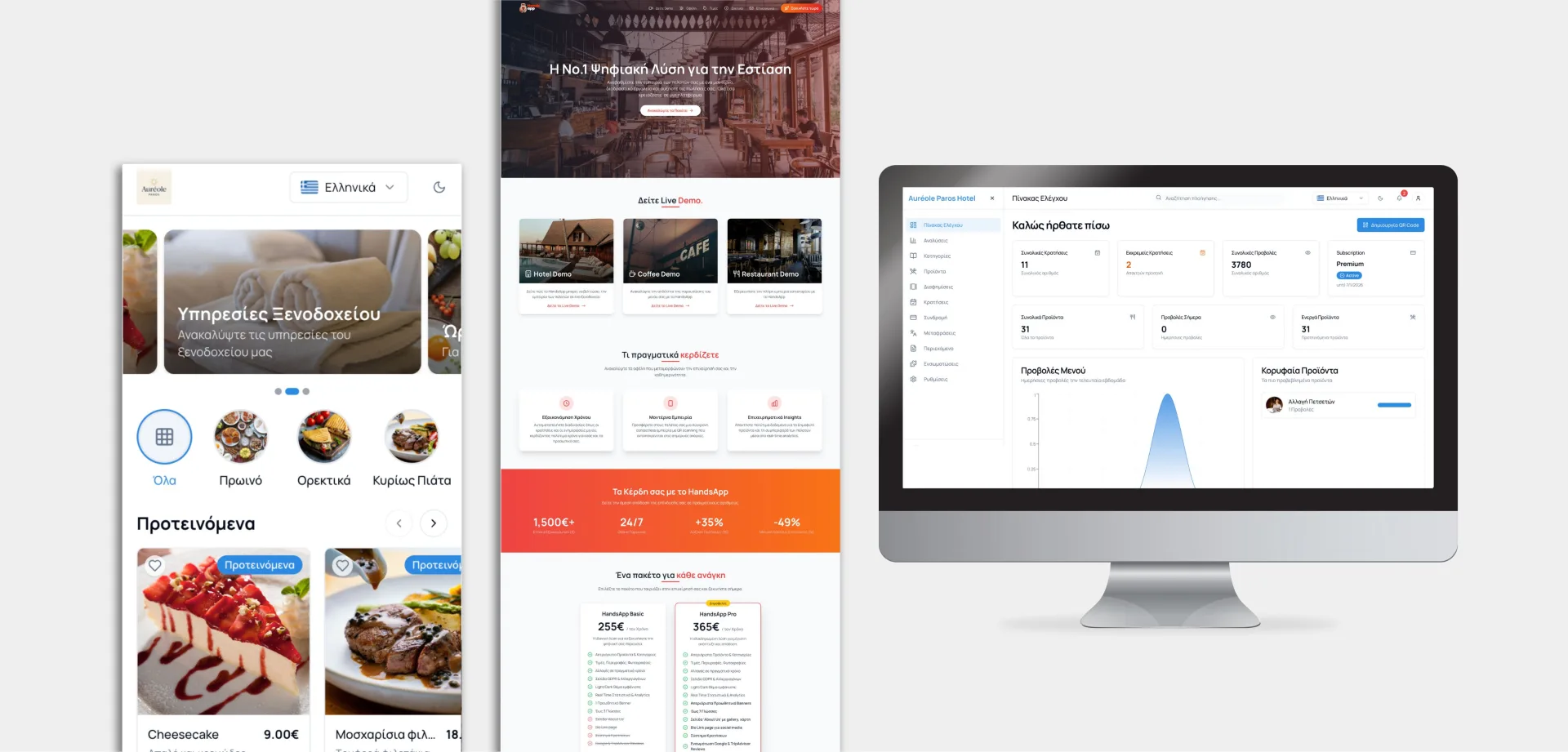
A QR menu is enough when guests need to browse and your team takes the order. Table ordering adds a basket, identifies the table and sends the request to staff. It makes sense when taking and re-entering orders is slowing service, provided the team can manage incoming requests.
The QR code opens the experience. What happens next makes it useful.
Three details to settle before choosing
Start with a normal shift, not a feature list.
The right table
A table-specific QR can carry the location into the order. Guests should see where they are ordering, without searching a long table dropdown.
A clear handover
Decide who accepts orders and how the kitchen or bar receives them. Avoid a separate dashboard that leaves staff typing everything again.
Payment that fits
Choose payment when ordering or payment through staff. Make the order status clear; sending a request is not the same as paying.
Make ordering easier, not compulsory
For example, a busy terrace might offer QR ordering for a second round while staff still welcome guests and answer questions. Keep personal service available for people without a suitable phone or connection. Test extras, unavailable items and repeat orders on real phones before rolling it out across every table.
Include the work behind the menu
Budget for menu setup, translations, training, support and any payment fees. Confirm separately whether the system connects to your existing till, printers or kitchen screens. Start with a small service area and review missed orders, staff workload and customer feedback before expanding.
HandsApp: built around the table
We created HandsApp around a simple idea: the QR should already know the table. The platform brings together digital menus, ordering and business management for hospitality. We can help you choose the setup that fits your venue, rather than starting with unnecessary custom development.
Explore HandsApp Explore our business software servicesClear answers, without the jargon.
01Do customers need to download an app?+
Not for a browser-based setup. The QR opens the menu on their phone, with ordering available if enabled for the venue.
02Will it replace my existing till?+
Not automatically. Agree which orders, payments and receipts need to connect before choosing a system. Check compatibility rather than assuming it.
03Can we start with a menu only?+
Yes. Start with clear categories, current prices and easy updates. Add ordering when your service and staff are ready for it.

Andrew Matia - LineWeb
Founder of LineWeb. I write about the practical side of websites, systems, automation and search: the decisions that make a business easier to run and clearer to find.
Read the founder storyWhat would make service easier at your venue?
Tell us how orders reach your team today. We will help define a practical setup and its costs.