Back to blog
Field service guide

Field service software or spreadsheets: when should a team switch?

A spreadsheet can organise a small field team. The question is when dispatch, job history and materials need one reliable record that travels from the office to the technician and back.
October 2, 20266 min readAndrew Matia
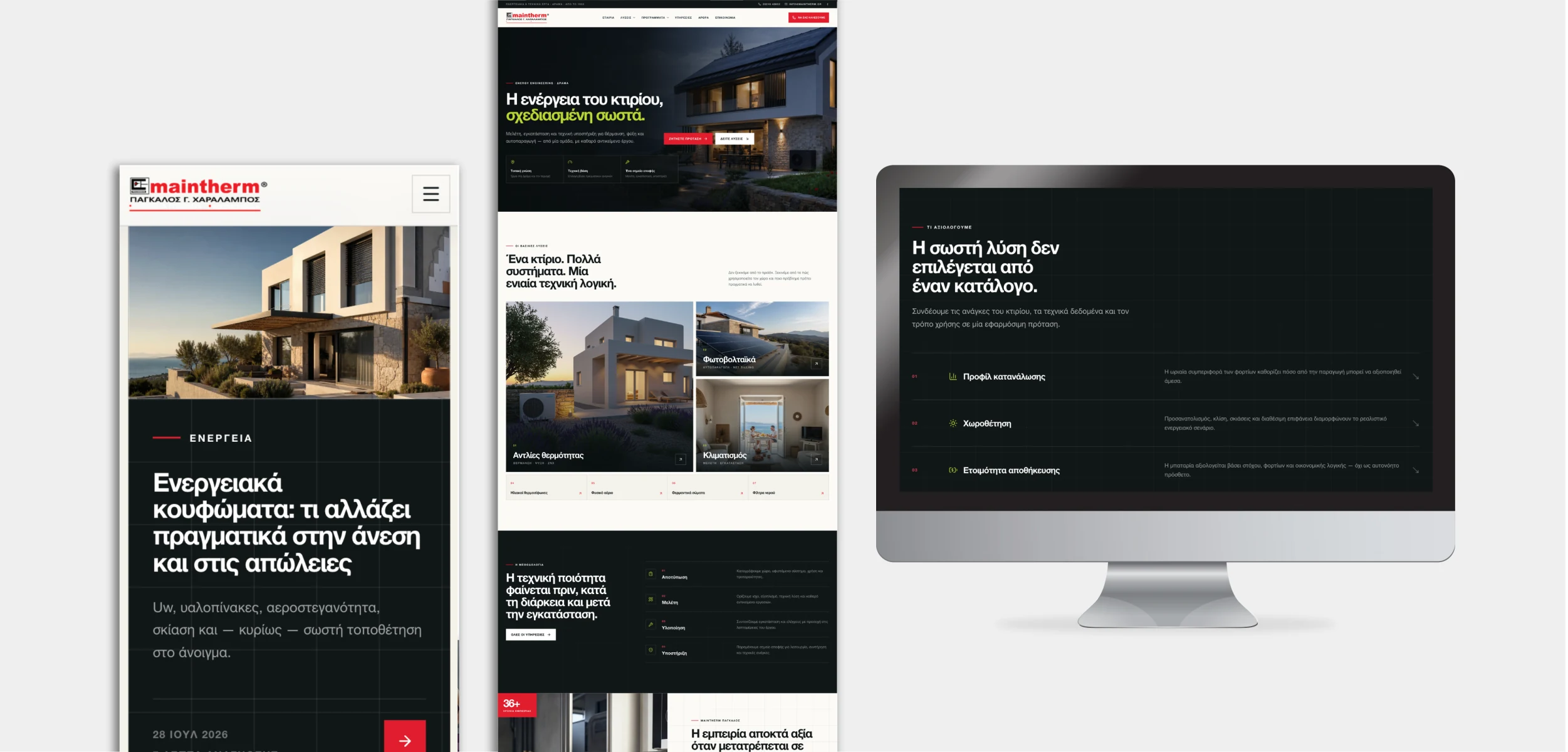
Maintherm digital platform presented across desktop and mobile screens
LineWeb Journal / Field service guideMaintherm project presentation by LineWeb

The short answer: keep a spreadsheet while one person can reliably schedule the work, technicians know where to find current instructions and completed visits return to the office without repeated copying. Consider a field service system when assignments change during the day, job evidence is scattered across calls and photos, or materials and follow-up work cannot be traced to the right customer and project.

Imagine an installation company with several technicians. A dispatcher changes a visit, a technician receives an old address, and a photo of a completed job stays in a private chat. At invoice time, the office asks which materials were used. This is an illustrative scenario, not a measured result from a LineWeb client. The problem is not that spreadsheets are bad; it is that the team no longer has one dependable version of the job.

Microsoft's Field Service documentation separates the dispatcher's schedule board from the mobile work-order experience. That distinction is useful even when you do not buy Microsoft: office planning and field execution are different jobs that need to share accurate information. A custom platform is one option, not the automatic answer.

The first useful system is the one that lets the office and the technician agree on what happened at the job.
Practical framework

Find the hand-off that is failing.

Three checks reveal whether a shared workflow would improve the work rather than add administration.

01

Assignment

Can the office see who owns a visit, what changed and whether the technician received the current plan?

02

Job evidence

Are notes, checklists, photos and customer sign-off attached to the right job with appropriate access?

03

Materials and follow-up

Can the team tell what was used, what remains open and who must act next without searching chats?

When a spreadsheet is enough

Do not replace a simple process just because software exists

A small, stable schedule may not need a new platform.

If one person coordinates a few predictable visits and the team already shares updates reliably, a spreadsheet and a clear filing convention may be proportionate. Improve the current process first: agree the fields every job needs, keep one owner for changes and make the latest version easy to find.

Document what happens when a visit moves or a technician is absent. If the answer is still clear to everyone, software may add more maintenance than value. A new dashboard cannot fix undefined responsibilities.

  • Keep a single job identifier across messages and documents.
  • Agree who can change the schedule and who confirms the change.
  • Review a sample of completed jobs for missing information.
When coordination gets harder

Connect dispatch, field updates and the customer record

The case for a shared system grows when several people coordinate work or when jobs have multiple visits, equipment histories or material movements. The office needs to know which work is unassigned, in progress or waiting for a follow-up. The technician needs only the relevant job context, not unrestricted access to every customer or commercial record.

In Microsoft's Field Service documentation, the schedule board lets dispatchers schedule and reassign work orders, while the mobile app presents assigned work and supports status updates, notes, parts and time entries. These are documented product capabilities, not claims about every tool or about Maintherm. They illustrate the separation between planning and execution.

A useful first version can be smaller: customer and site details, assignment, a short checklist, visit notes, photos where appropriate and a clear submission back to the office. Add warehouse or equipment history when those records are necessary to deliver and support the work.

Microsoft Learn: Field Service schedule board Microsoft Learn: Field Service mobile work orders
  • Keep changes and cancellations visible to the assigned technician.
  • Give field staff only the information their role requires.
  • Handle poor connectivity and failed submissions explicitly.
  • Make follow-up work a tracked action, not a note lost in a chat.
Build versus buy

Compare the complete operating cost, not the number of screens

A ready-made field service product may cover dispatch and mobile job updates. Evaluate it against real visits, permissions, language needs, offline behaviour, materials, integration with your existing customer and finance systems, and the effort of onboarding technicians. Ask for a trial using your own typical and exceptional jobs.

Custom development is more defensible when your service rules, project stages or connected systems cannot be represented cleanly by a standard tool. Include setup, data migration, training, support and ongoing change requests in the comparison. Time saved should be measured from your own baseline, including corrections and review; there is no universal return figure.

A public LineWeb example

Maintherm brings the office and technicians into one workflow

The public Maintherm case study describes a business system for customers, projects, assignments, technicians, warehouses, materials and equipment. Its technician experience supports assigned work, visit documentation and submission back to the office. This is delivered LineWeb work, distinct from the illustrative installation-company scenario above.

The public presentation does not provide an audited time-saving or revenue result, and this guide does not imply that every Microsoft feature is part of Maintherm. The relevant lesson is to shape the system around the company's actual field work rather than copy a generic feature list.

Relevant LineWeb work

Explore the Maintherm platform

A public site and private operating platform connect projects, technician visits and the information the office needs after field work. The case study describes visible capabilities without exposing private implementation details.

See the Maintherm case study
Questions people ask

Clear answers, without the jargon.

01When should a service company stop using spreadsheets for technicians?+

When changing assignments, job evidence or material use regularly require calls, duplicate entry or corrections, assess a shared workflow. A small stable operation may still be well served by a clear spreadsheet.

02Does every technician need access to the full CRM?+

No. Give technicians the customer, site and job details needed for assigned work. Keep unrelated customer records and commercial information behind appropriate permissions.

03Should we buy field service software or build a custom system?+

Test an existing product against real jobs first. Custom software makes sense when your operational rules or integrations are important and standard tools cannot handle them cleanly at a reasonable total cost.

04What should a first field-service release include?+

Start with reliable assignment, current job details, a simple mobile visit record and a clear hand-off to the office. Add materials, equipment history or automation as the real process requires.

Andrew Matia, founder of LineWeb
Author

Andrew Matia - LineWeb

Founder of LineWeb. I write about the practical side of websites, systems, automation and search: the decisions that make a business easier to run and clearer to find.

Read the founder story
Discuss field operations

Where does information get lost between your office and the field?

Show us a typical job, how assignments change and what the office needs after a visit. We can assess whether a clearer process, an existing product or a focused custom system is the right next step.

Discuss a field service system