Mobile products made for repeat use
We design and build focused mobile experiences connected to the APIs, administration and business rules that keep the product useful after launch.
Direct answer
What does LineWeb mobile app development cover?
LineWeb designs and builds mobile applications for customer journeys and operational workflows where repeat use, device access and a focused in-hand experience matter.
Projects can include product discovery, UX flows, cross-platform development, backend APIs, authentication, payments, notifications, location or camera access, analytics, store preparation and ongoing release support.
Business outcomes
What the work should improve
Operational map
Mobile Apps
User intent
Mobile flow
Connected API
Repeat use
A focused mobile experience
The interface prioritises the actions people need while moving, working or returning regularly.
One connected system
The application, API, administration and business data are designed as one operating flow.
Maintainable releases
Permissions, platform differences, monitoring and future updates are considered before store submission.
Good fit
When this service makes sense
Typical scope
What can be delivered
How the work moves
A process built for fewer assumptions
The details change by project. The discipline does not: understand the real workflow, make the difficult decisions visible, deliver in useful stages and verify the result in production.
- 01
Define the repeated action
Clarify why the product belongs on a phone and what people must complete quickly.
- 02
Prototype the flow
Test navigation, states, permissions and difficult edge cases before full implementation.
- 03
Build the connected product
Develop the app, API and administration around the same data and business rules.
- 04
Release and learn
Prepare store delivery, monitor production behavior and improve from real usage.
Related work
Mobile-first product thinking across customer and operational workflows
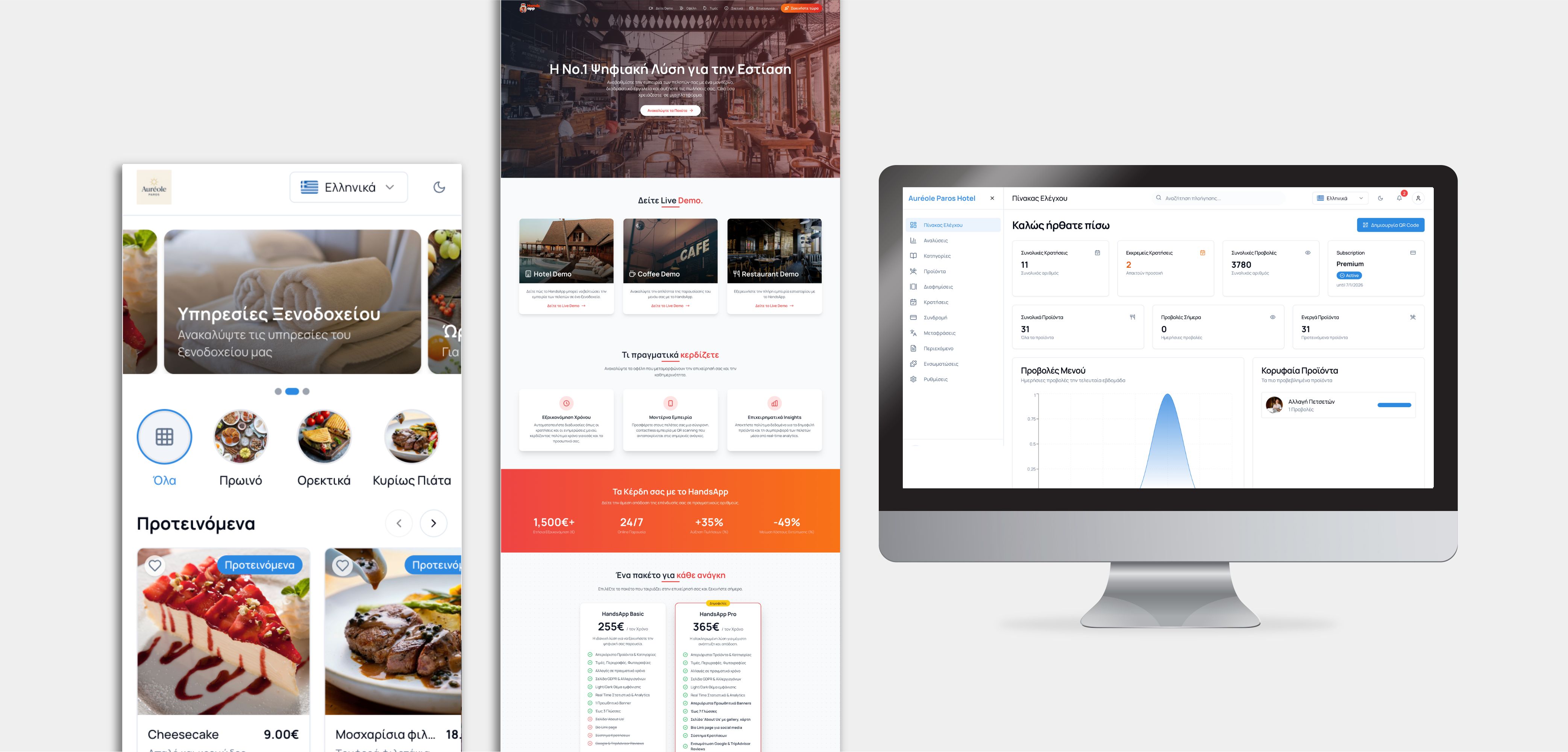
HandsApp
A hospitality product designed around quick table-aware ordering and repeat operational use.
View case study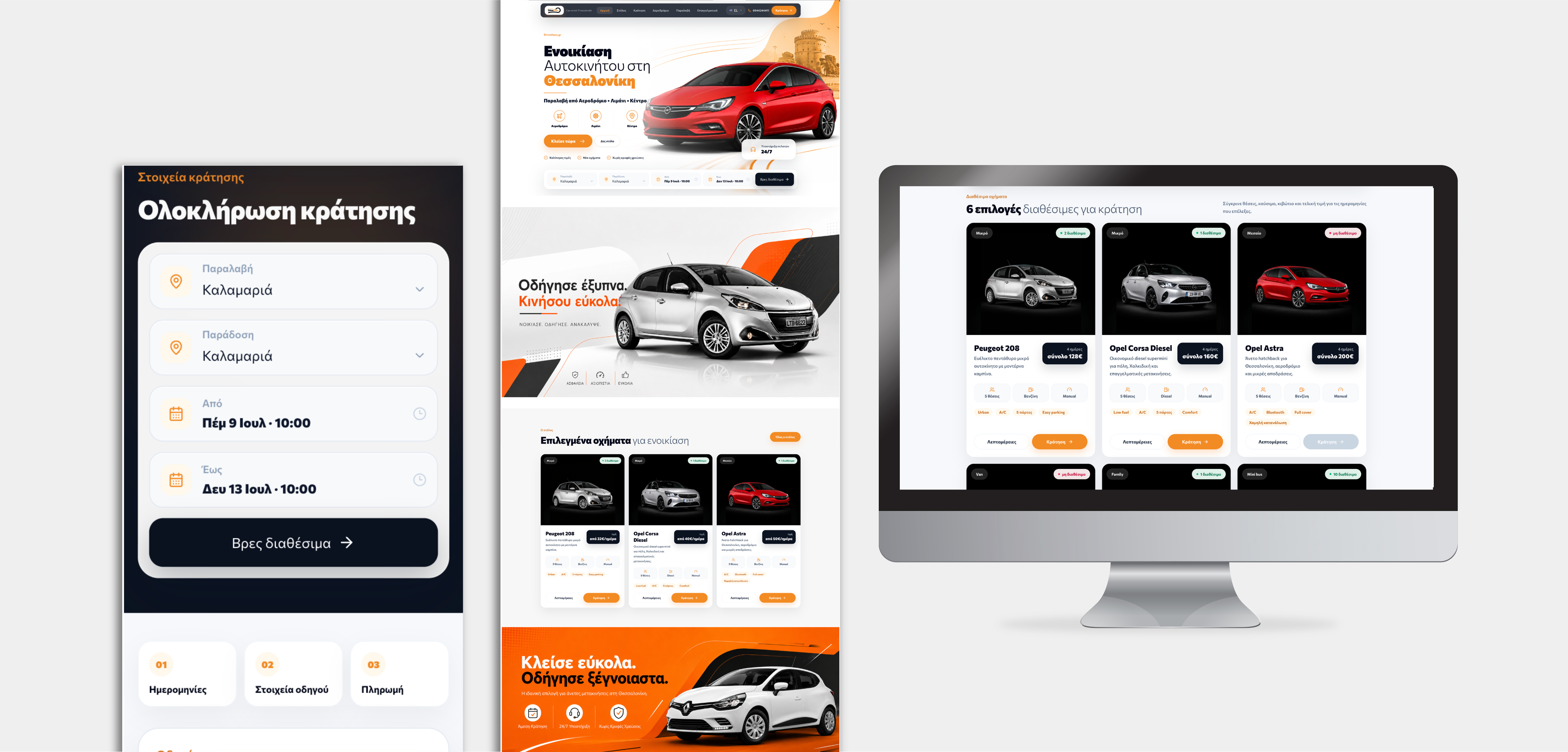
DriveThess
A mobile-first vehicle discovery and booking journey connected to live fleet operations.
View case study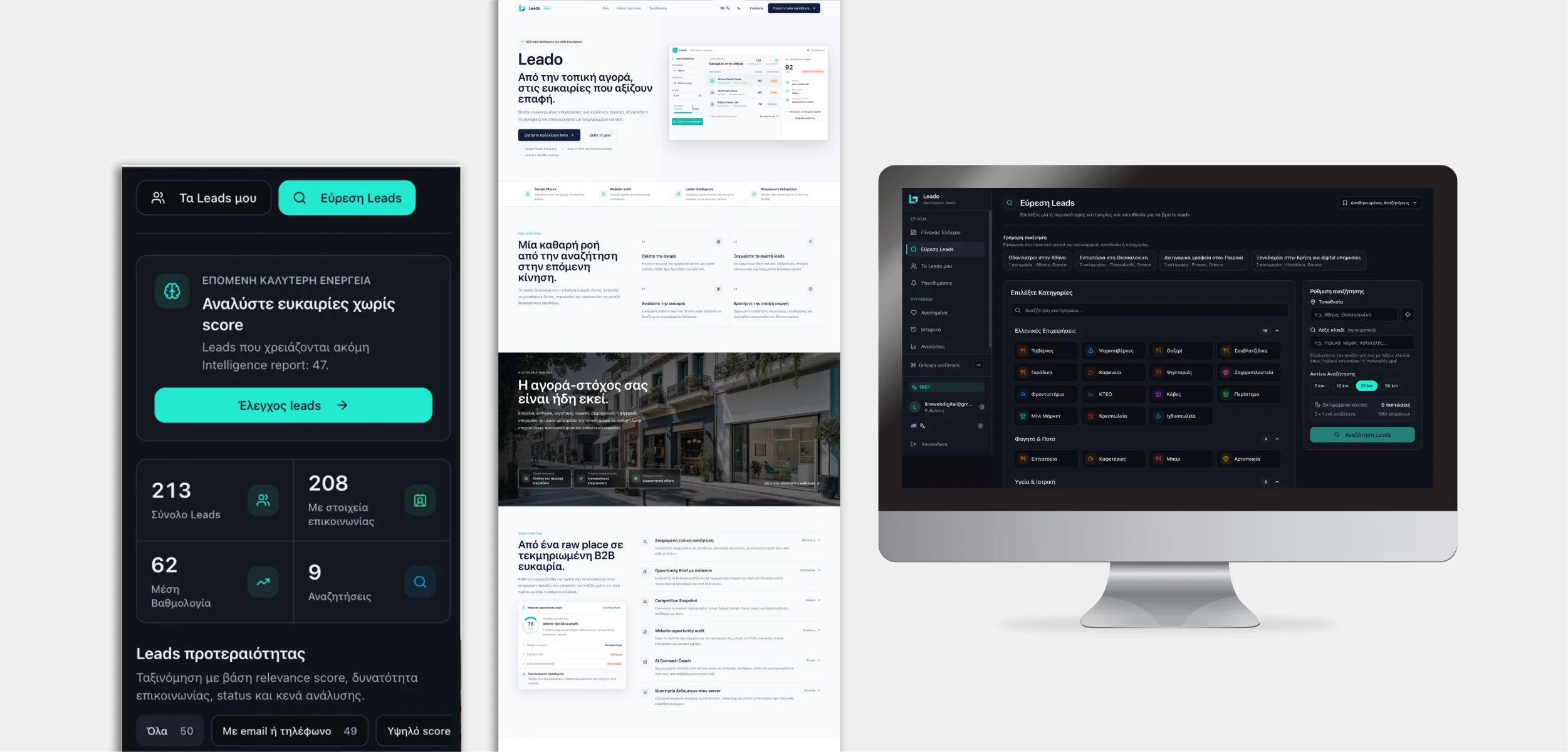
Leado
A responsive business intelligence workspace designed for focused research and action.
View case studyQuestions answered
Common questions about mobile apps
Short, direct answers based on how LineWeb approaches this work in practice.
01Do you build for both iOS and Android?
Yes. The implementation can use a shared cross-platform codebase or platform-specific work depending on device features, performance requirements, budget and long-term ownership.
02Can the app connect to an existing website or CRM?
Yes, when the existing system exposes a dependable API or can be extended safely. Otherwise the integration layer may need to be designed as part of the project.
03Do you handle App Store and Google Play submission?
LineWeb can prepare builds, metadata and store assets and support the submission process. Final approval remains controlled by Apple and Google.
04Does every business need a mobile app?
No. If the experience is occasional and does not need device capabilities, a strong responsive web application may be simpler and more cost-effective.
05What happens after the first release?
Mobile products need monitoring and updates for operating-system changes, dependencies, store requirements, security and real user feedback.
Service content reviewed by Andrew Matia
Founder of LineWeb, working across websites, software, automation, digital operations and technical problem-solving.
Mobile experiences people can rely on
The interface should feel focused in the user's hand while the API, data, permissions and release process remain dependable behind it.
60fps
Butter Smooth
Silky smooth animations and transitions that feel native to the device.
2x
Faster Dev
A shared codebase can reduce duplicate work while platform-specific behavior is handled deliberately.
Offline
Ready
Apps that continue to work even when your users lose internet connection.
Designed for the
context of use.
Mobile interaction can involve biometrics, camera, location, notifications and offline behavior. Each capability is used only when it makes the workflow simpler or more dependable.
Biometric Security
Face ID and Touch ID integration where platform and risk requirements support it.
Offline Capability
Selected workflows can remain useful without a network and synchronise safely when connectivity returns.
Technology selected for the product