WordPress · GitHub · Source

Create social media images inside WordPress

Turn article titles, excerpts and products into social media images. Images are created in your browser using your colours and logo, without an external image service.

Source code archive. Follow the repository instructions before installation.

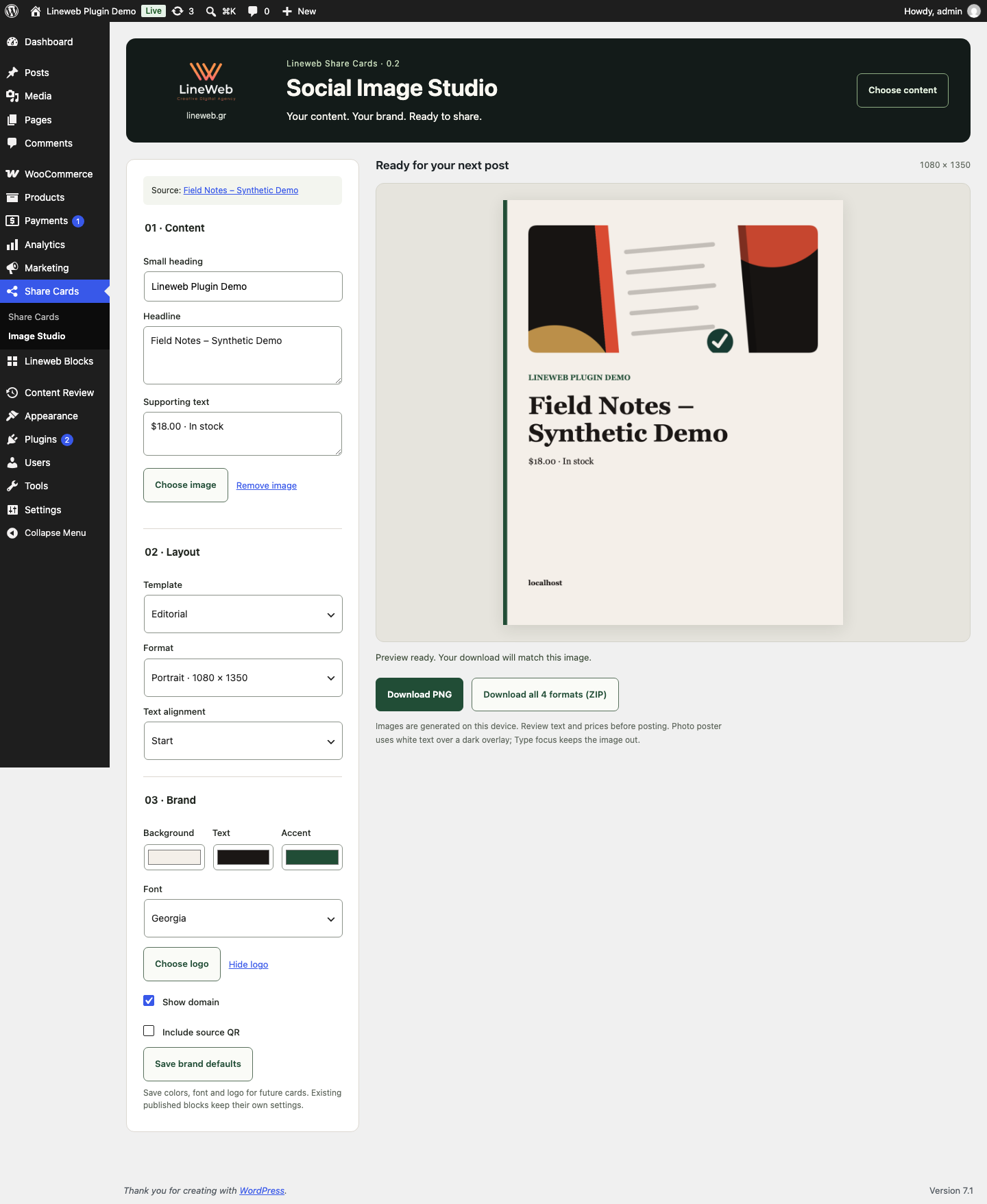
Social Image Studio with image preview and export options
Social Image Studio with image preview and export options. Illustrative screen with sample data.

Practical features

What you can do

01

Image Studio with four layouts and saved brand settings.

02

PNG exports at 1080×1080, 1080×1350, 1200×630 and Story 1080×1920, or a ZIP containing every size.

03

A Gutenberg block for quotes, takeaways, statistics and selected products.

04

Optional source QR code, caption copying and native sharing where supported.

From download to use

Getting started

  1. Follow the repository instructions and open Share Cards → Image Studio.
  2. Select published content, check the image and text, and adjust the layout.
  3. Download a PNG or all four sizes and publish to your chosen social network.

What you need to know

It does not publish automatically to social media. Images hosted elsewhere may require CORS permission. Check the final text and image before sharing.

Test on staging first and keep a restorable backup. Read the README and licence in the public repository for current instructions.

public repository

A common question

Are images uploaded to an external service?

No. Rendering and export happen in your browser. No LineWeb account or image-generation subscription is required.

Built by LineWeb

Your website.
Your tools.

The code is public. Choose what you need, read the instructions and try it in your own environment.

Need support?

Report reproducible issues through the relevant project channels. For a tailored installation or customisation, talk to us.

Contact LineWeb ↗

Free software does not include hosting or custom implementation services.