Product search or filters: what does your online shop need?
A growing catalogue should give customers more choice, not more work. If people keep asking where to find products you already sell, start with the browsing journey.
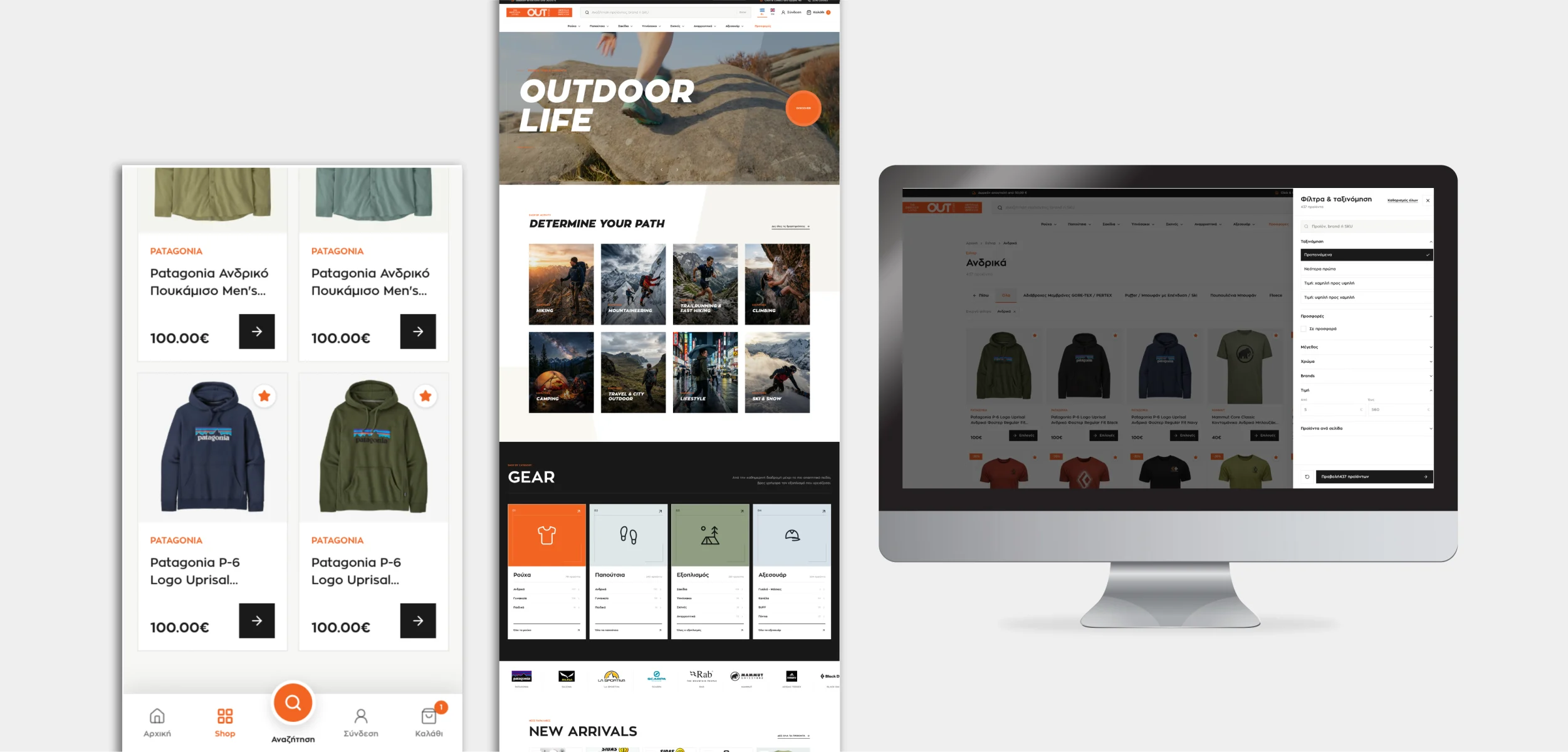
Most shops need both. Search helps someone looking for a product, brand or reference they already know. Filters help someone compare a category by the details that matter, such as size, price or availability. Before buying another search tool, check whether the catalogue has consistent information and whether those choices are easy to use on a phone.
A useful filter answers a customer's question, not an internal database field.
Three places to look before changing the design
The right improvement may be smaller than a rebuild.
The words customers use
Try product names, model codes and everyday descriptions. Use questions your team hears in store or by phone to spot missing terms and confusing category names.
The details in the catalogue
Keep sizes, colours and specifications consistent. A better-looking filter cannot fix products with missing or contradictory attributes. Check the available variation, not just the parent product.
The mobile controls
Make filters easy to open, selections easy to see and unwanted choices easy to remove. Returning from a product should not mean starting the search again.
Not every category needs every filter
A customer choosing a jacket may care about size and intended activity. Someone choosing equipment may need dimensions or compatibility. Start with the few details that genuinely narrow the choice. For example, selecting a size and colour should lead to a matching option the customer can actually buy, not a product that only offers those attributes separately.
Test the result before extending the work
Start with an important category and test real shopping tasks. Can customers find the right item and recover from empty results? Budget for catalogue cleanup, mobile controls, testing and product updates. Agree how to review unsuccessful searches and progression to product pages before extending the work across the store.
OUTstore: a deep catalogue with clearer choices
For OUTstore, we brought activity-led browsing together with search and filters for brands, sizes, colours, price and offers. Visible selections and shareable filtered links make the catalogue easier to continue exploring. Product details then carry the customer towards the right variation and checkout.
Explore the OUTstore shopping experience Explore LineWeb ecommerce developmentClear answers, without the jargon.
01Does better filtering require a new shop?+
Not necessarily. Review the platform and product data first. A focused improvement to the existing catalogue may be enough.
02Should every product detail become a filter?+
No. Prioritise the attributes people use to choose. Too many low-value options make browsing harder instead of more helpful.
03Can AI search replace filters?+
It can offer another way to ask for products. It still needs accurate catalogue information and a clear route to inspect the actual choices.

Andrew Matia - LineWeb
Founder of LineWeb. I write about the practical side of websites, systems, automation and search: the decisions that make a business easier to run and clearer to find.
Read the founder storyWhat do customers struggle to find?
Send us your shop and a category that causes questions. We can review the search, product data and mobile filters, then scope a focused improvement.